This tutorial will show you how to quickly enable or disable silent mode on your iPhone. This is useful for iPhones without a physical silent mode switch including the iPhone 15 Pro/Pro Max, iPhone 16, iPhone 17, and iPhone 18.
Turn On/Off Silent Mode on iPhone
1. Swipe down from the top-right corner of the screen to open Control Center.
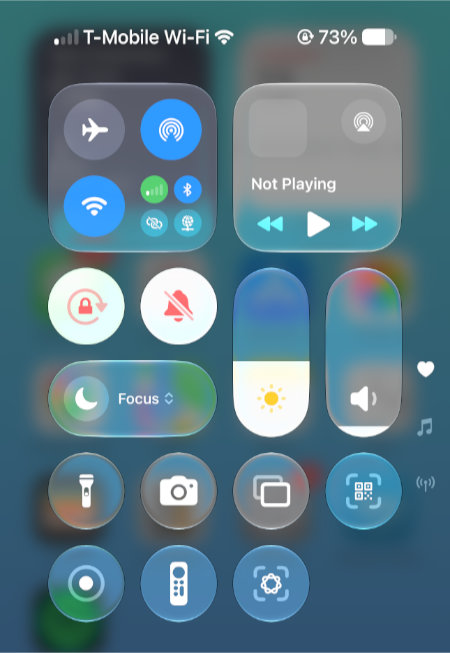
2. Toggle the bell icon to turn on or off silent mode.
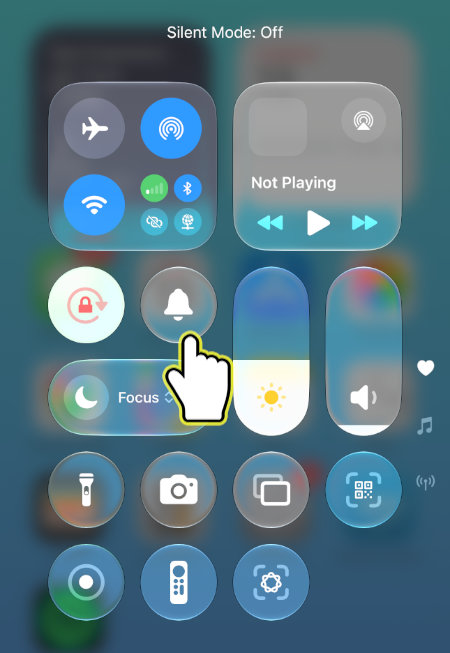
Silent mode on your iPhone turns off ringing and alert sounds without turning off your phone or blocking calls.