This tutorial will show you how to put your Keychron wireless Bluetooth keyboard into pairing mode which will allow you to connect and pair your keyboard to any compatible device including a computer, phone, TV, TV box, and more.
Enable Keychron Keyboard Bluetooth Pairing Mode
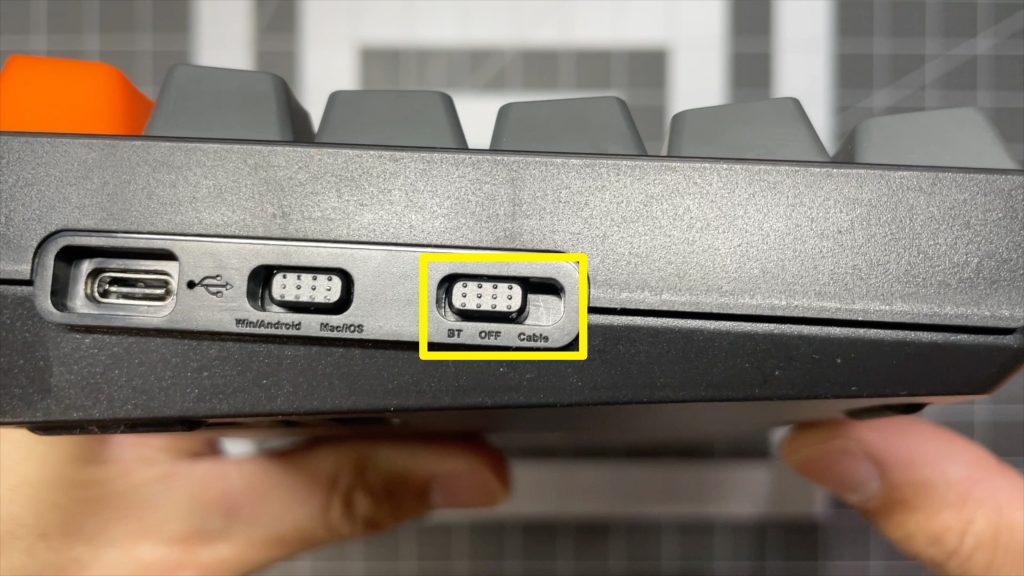
1. Make sure the toggle on the side of the keyboard is switched to BT (Bluetooth).
2. Hold the 1 + fn key until the 1 key flashes.
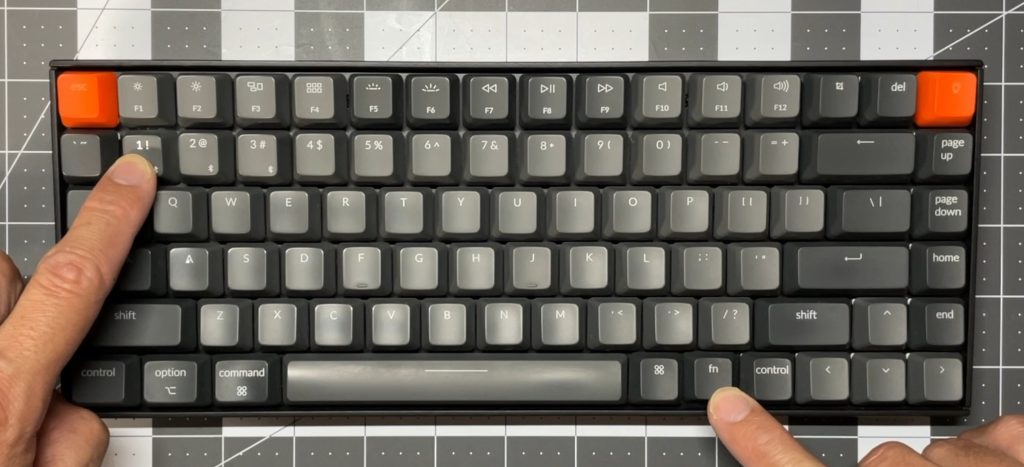
Your Keychron keyboard is now in pairing mode.